Employees feel motivated when they can see their shift calendars clearly with defined leaves
By automating scheduling, managers spend less time on scum work & there is a visible increase in their productivity & efficiency.
Business with a workforce management system tend to run more smoothly & makes decision making favorable to their employees and organization.
Employees (hired part-time) find manual system like punch cards, & time sheets time consuming & repetitive.
Most of the part-time workers are millennial & prefer using mobile app for punch in-out & sending in requests.
Research Summary
Secondary Research
Statistical Insights
Hiring Part-time Employees
2. Scheduling Employees
3. Payroll Generation
As of August 2022, there are 25.09 million part-time workers in the US.
The number one reason why people choose to work part-time is so that they can also attend school or a training program. (This doesn’t include those who said that a problem with childcare was their number one reason why they chose to pursue part-time employment.)
Working part-time means working an average of 34 or fewer hours per week.
Only 25% of US employees and 14% of Canadian employees track time using mobile apps.
38% in US & 58% in Canada use manual systems like punch cards ,paper time sheets and time cards.
80% of employee time sheets have to be corrected in both US & Canada both.
Time theft costs US employers $11 billion a year and 62% of Canadian employees who track time admit to time theft.
Time theft is widespread, Accountants say 92% of their clients have a problem with time theft adding 5%, on average, to their gross payroll.
Did you know that labor costs could be as much as 30% of your expenses?
Know the purpose for why business owners uses attendance or scheduling software.
Understand User’s needs for getting a employee scheduling software
To know which mode of attendance user’s own currently & what are it’s pro’s & con’s
Identify the pain points in using a bio-metric attendance machines
Research on alternate methods for attendance management in case current system is not working
Objective
Understanding Problem
#
All-in-one app that helps you manage your employees and scale your business!
Manage your deskless employees on the go!
EmpTime
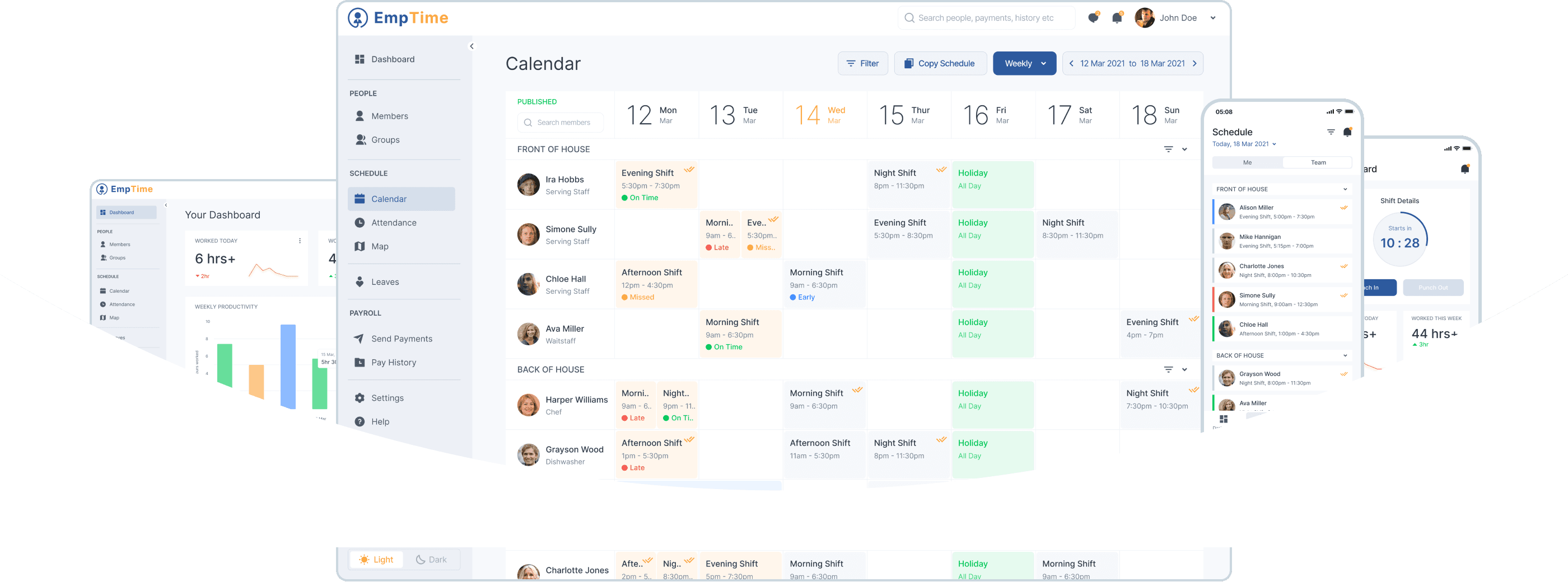
Small Business often hire part time workers or professionals & on of the biggest problem with handling such employee are keeping a database & scheduling shifts, leave etc for their employees. Most of the time it’s hard to keep track of employee attendance, requests & database for payroll.
Problem Statement
#
User Personas
#
I am a part-time waitress at a restaurant named Green Parks. Of all the tasks, the most frustrating is filling up my time sheet. I find it hard to keep track of the exact time I get to work & leave.
Mark my attendance through an App & not fill in time manually every time.
I need to see my shift calendar to manage my other chores
Notify my manager about leaves or shift change in advance.
Unable to view my schedule for the week
Filling time sheets is tame taking in itself.
Most of the time managers don’t account proper time for our payroll.
Goals:
Frustrations & Pain Ponits:
Olivia Miller
Age: 22
Waitress, Student
Mobile
Smart Watch
Technology used:
I am a restaurant manager at Green Parks. I find scheduling part-time employees the most time consuming task of my day.
Track individual Employee Attendance
Create scheduled calendars for employees
Track the on-ground employee availability at all times
Take in employee requests (leaves & shift change)
Unable to view how many employees are working at a time
Need a holistic view of the schedule created for a day or a week
Cannot view proper attendance status of employees shifts
Need exact time when employee came in & got out for payroll management
Goals:
Frustrations & Pain Points:
Sam Jones
Age: 35
Restaurant Manager
Desktop
Tablet (iPad)
Technology used:
Information Architecture
#
Cancel or
Postpone Leave
All Leave
Requests
Request
Status
Add New
Leave
Summary
Add
Member
Send
Payments
Past
Payments
Export
Payroll Report
Homepage
Leaves
Payroll
Dashboard
Search
Notification
Message
Profile
Attendance
Status
Analytics
Edit Shift
Change or
Delete Shift
View Emp
Shift Calendar
Map
View
All
Employees
Shift
Calendar
Add New
Shift
View Emp
Shift Details
Add New
Employee
Employee
Profile
Edit Profile
Block
Account
Add Emp
Department
People
Schedule
User Flow
#
Employee
Manager
Create Password
Confirm Password
Email ID or
Mobile Number
Receive
OTP
Resend OTP
Verify
Signup
If
Else
Email/Mobile
Enter Password
Login
Punch-In
Punch-Out
Notifications
Chat
Worked Today
Worked This
Week
Productivity
Report
Self
Analytics
Dashboard
Shift Calendar
Self
View Shift
Past Shifts Details
Shift Calendar
Team
View Emp Shift
Schedule
Self
Total Leaves
Leaves Left
Request Leave
Leave History
Leave
View Profile
Salary Slip
Language
Notification
on/off
Dark Theme
Privacy Policy
Logout
Profile
Verify
If
Else
Forgot Password
Mobile App User Flow
Employee
Colors & Typography
#
Aa
Inter Semibold
a, b, c, d, e, f, g, h, i, j, k, l, m, n, o, p, q, r, s, t, u, v, w, x, y, z
0, 1, 2, 3, 4, 5, 6, 7, 8, 9
Aa
Inter Regular
a, b, c, d, e, f, g, h, i, j, k, l, m, n, o, p, q, r, s, t, u, v, w, x, y, z
0, 1, 2, 3, 4, 5, 6, 7, 8, 9
Aa
Inter Medium
a, b, c, d, e, f, g, h, i, j, k, l, m, n, o, p, q, r, s, t, u, v, w, x, y, z
0, 1, 2, 3, 4, 5, 6, 7, 8, 9
Typography
Neutral
#19232E
#2F3A45
#495567
#708295
#A0AEC0
#CBD7DF
#EDF1F6
#EDF0F6
#F7F9FC
#FFFFFF
Semantic
Success
#18D16A
Error
#F5534B
Warning
#FFBD34
Info
#3F8CFF
Secondary
#FCA23C
Primary
#3F65B0
Design
#
Low Fidelity Digital Wireframing
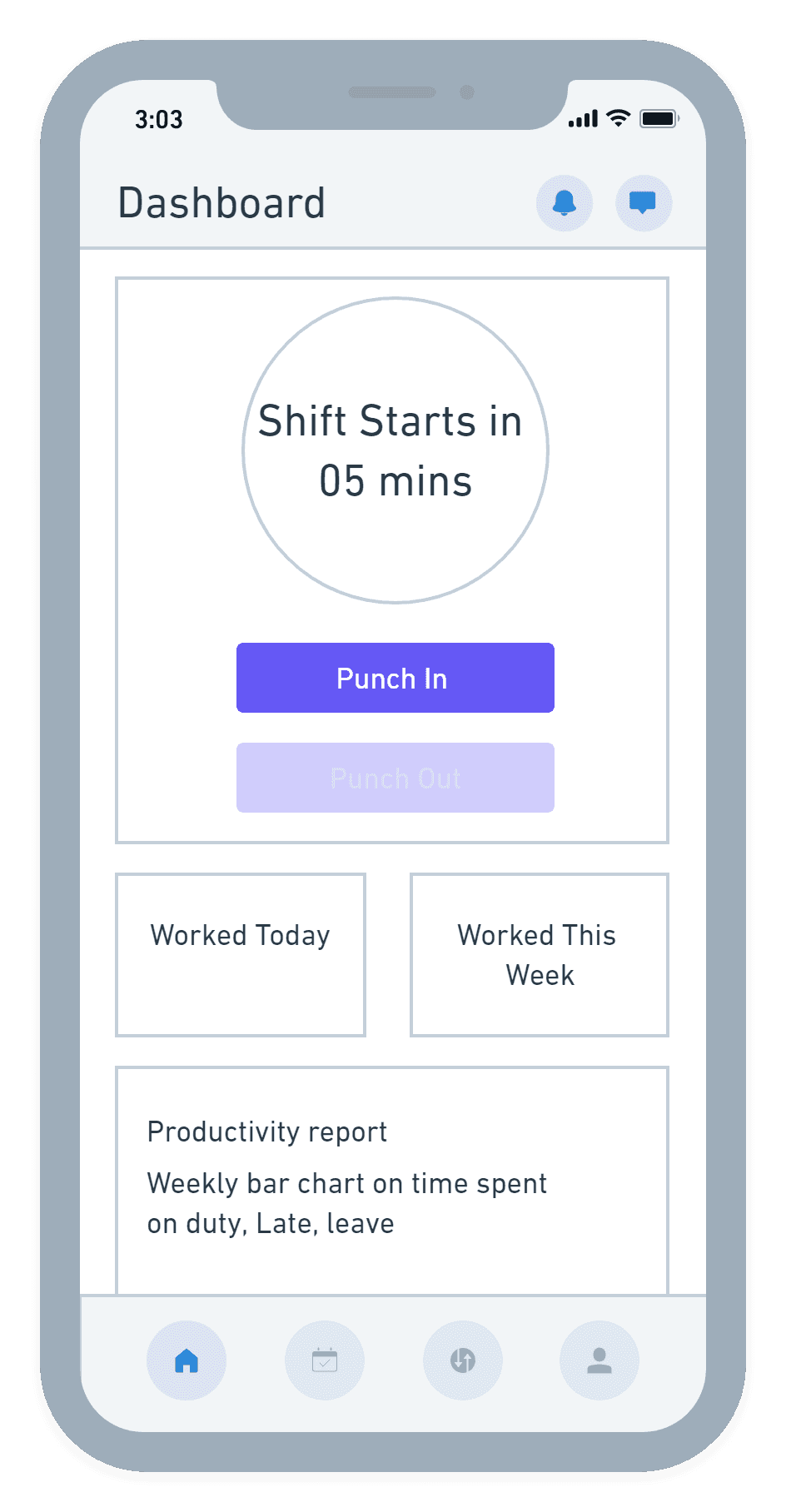
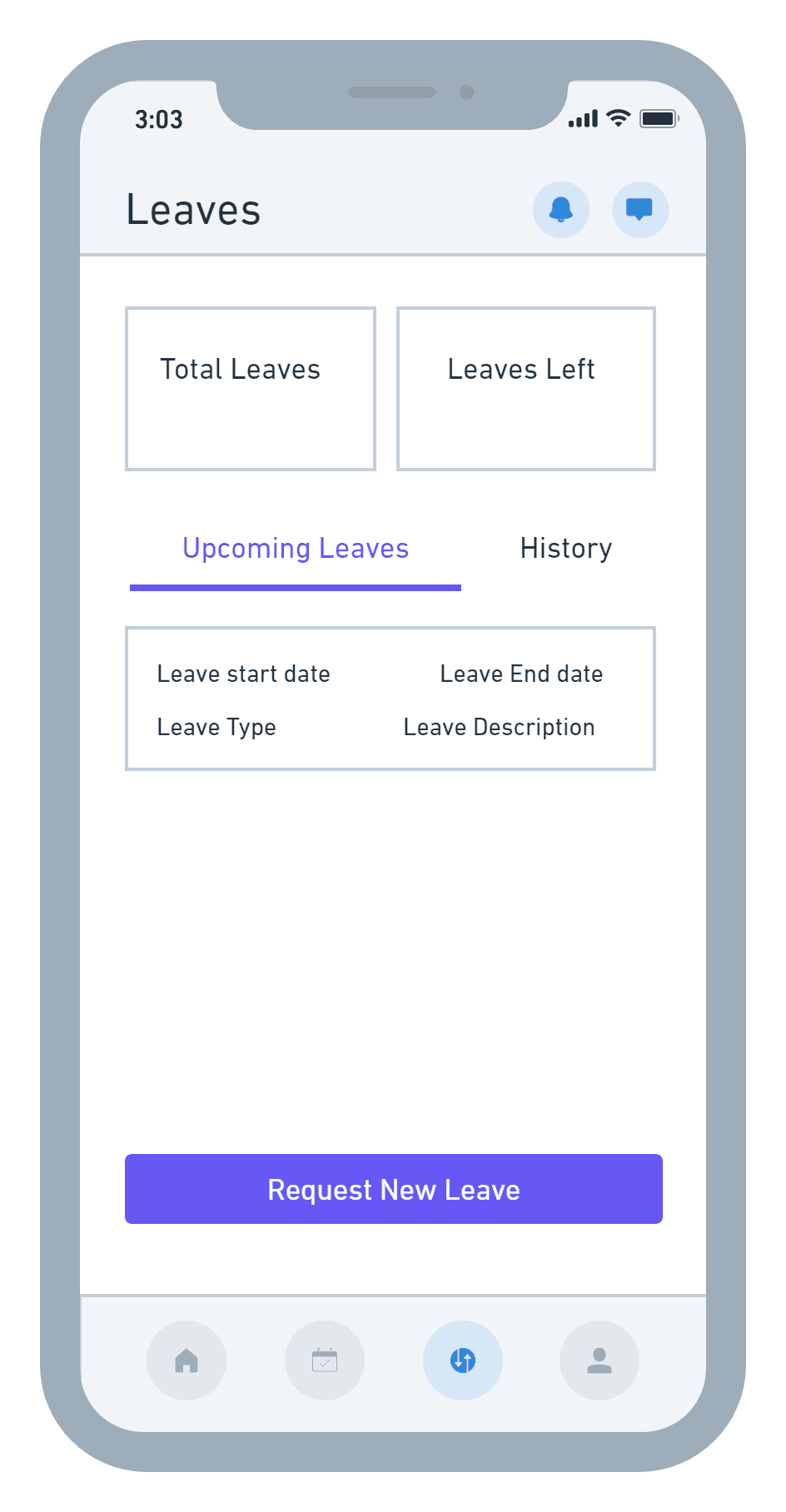
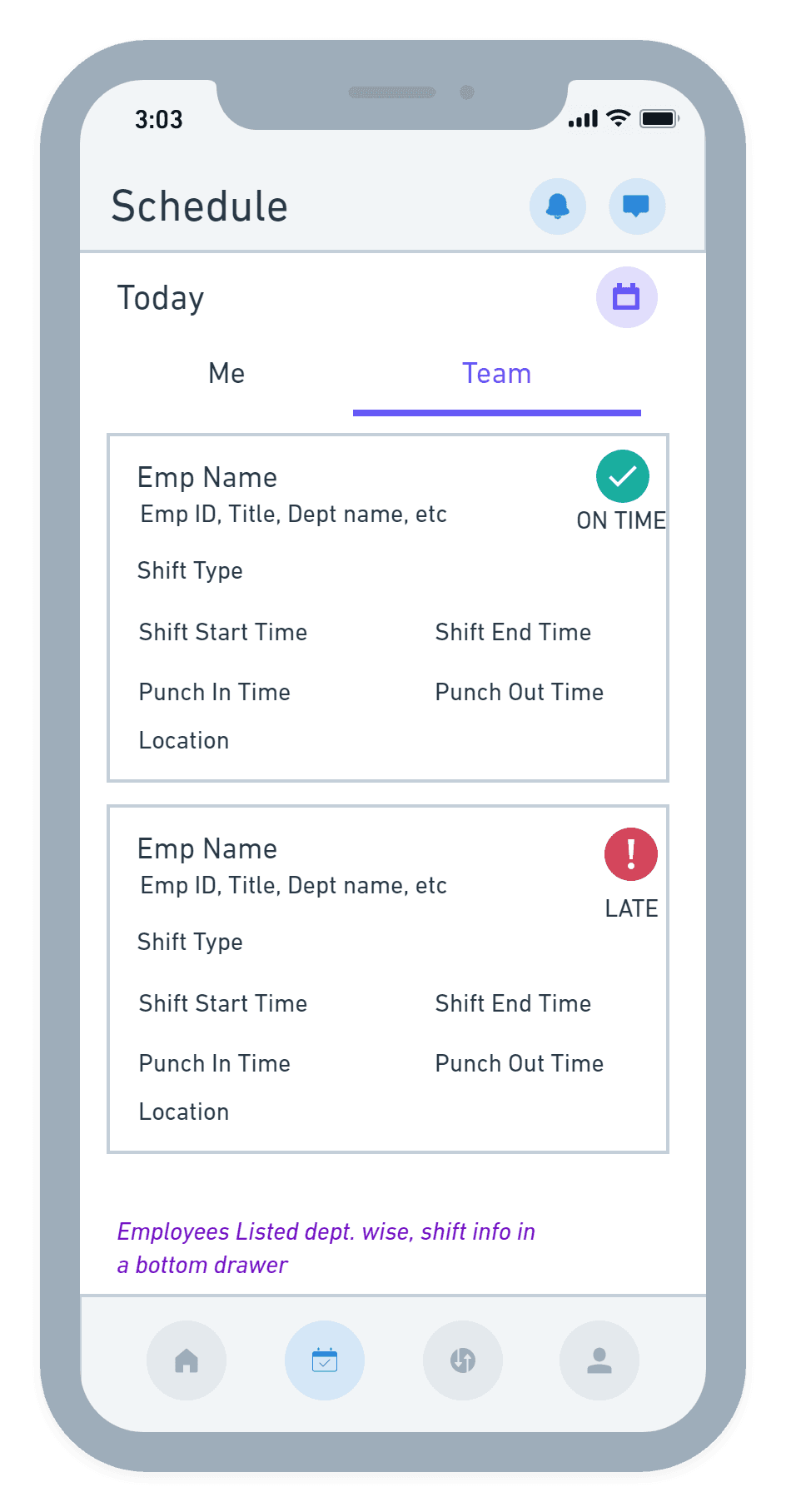
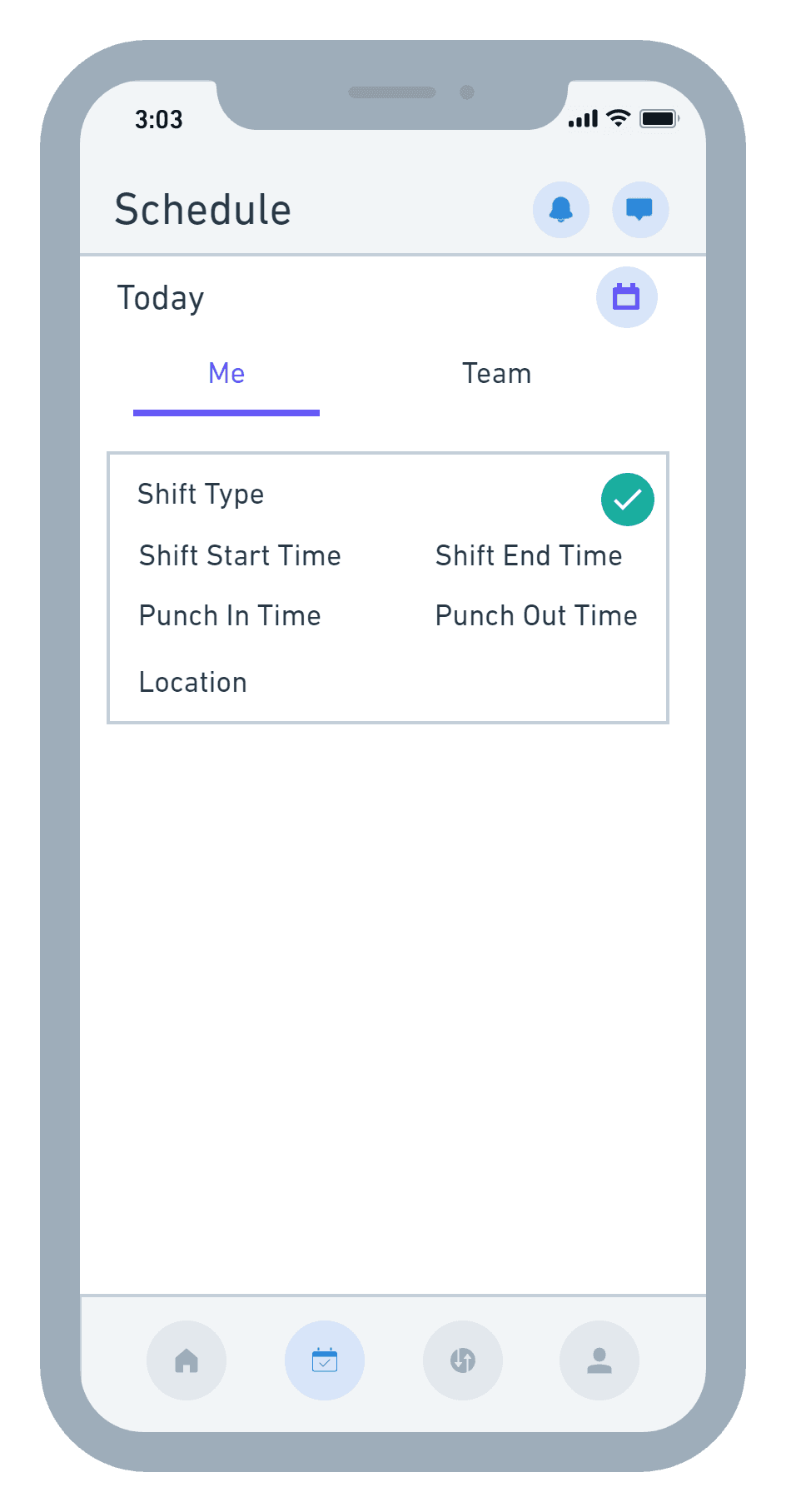
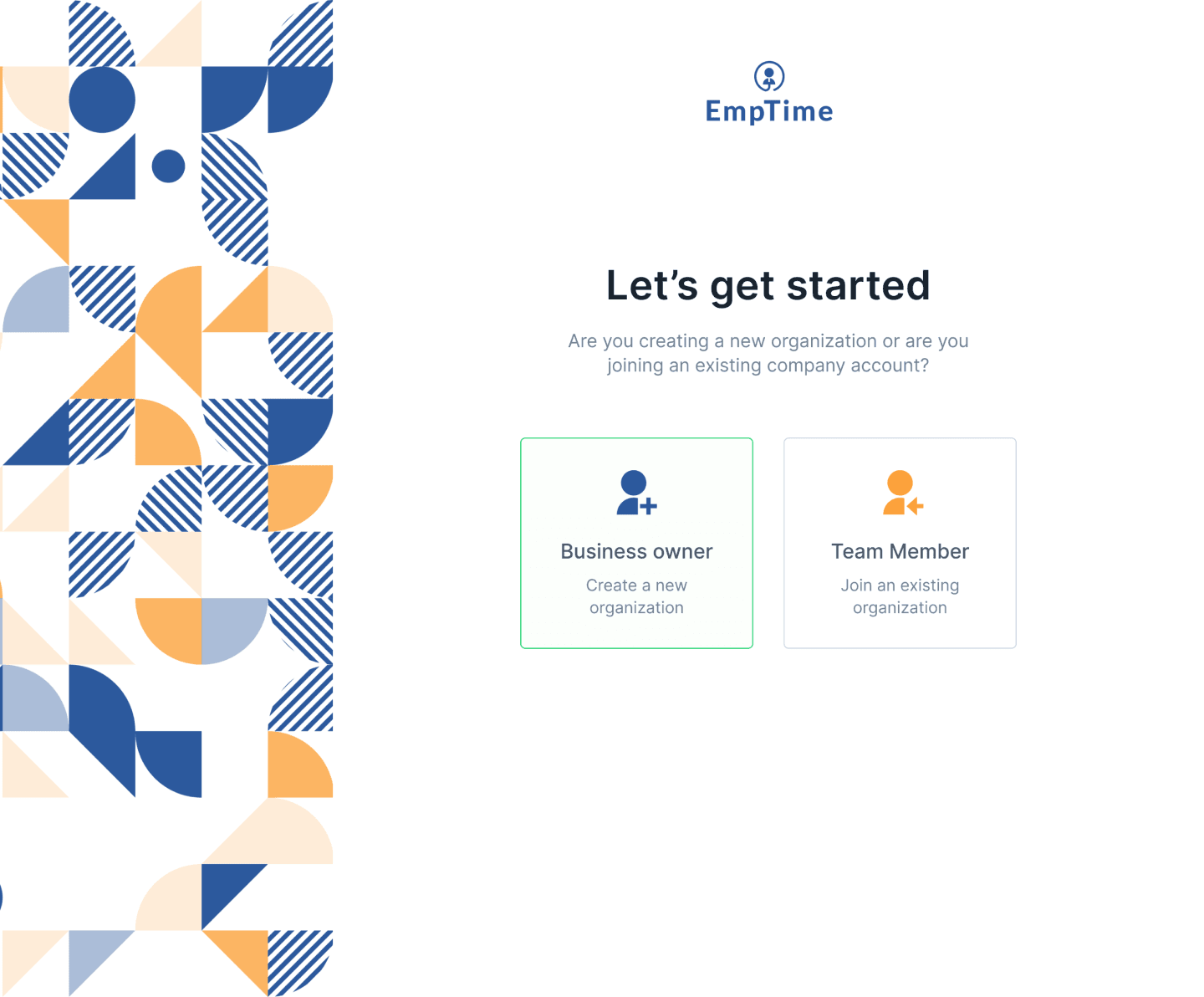
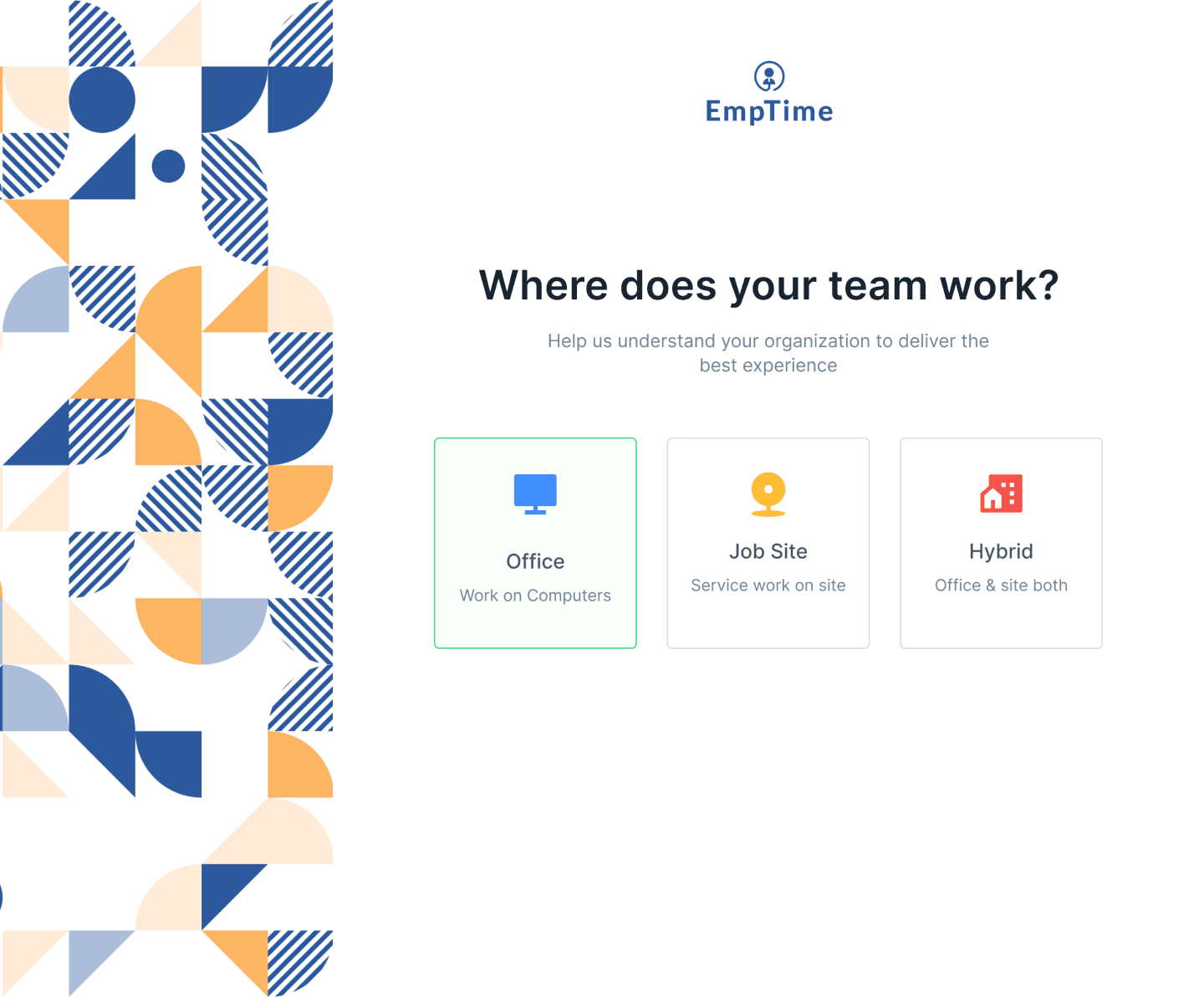
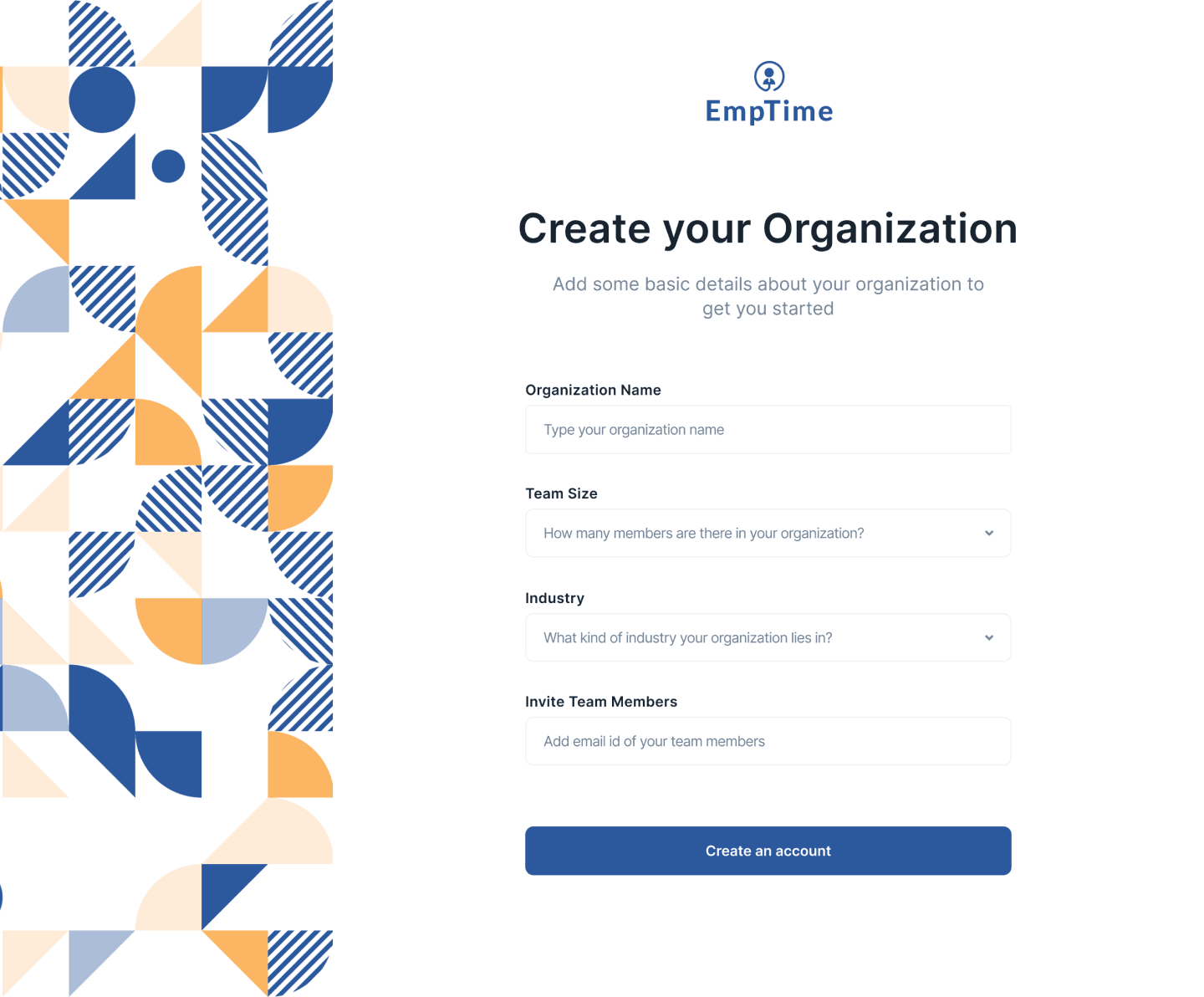
Onboarding Process
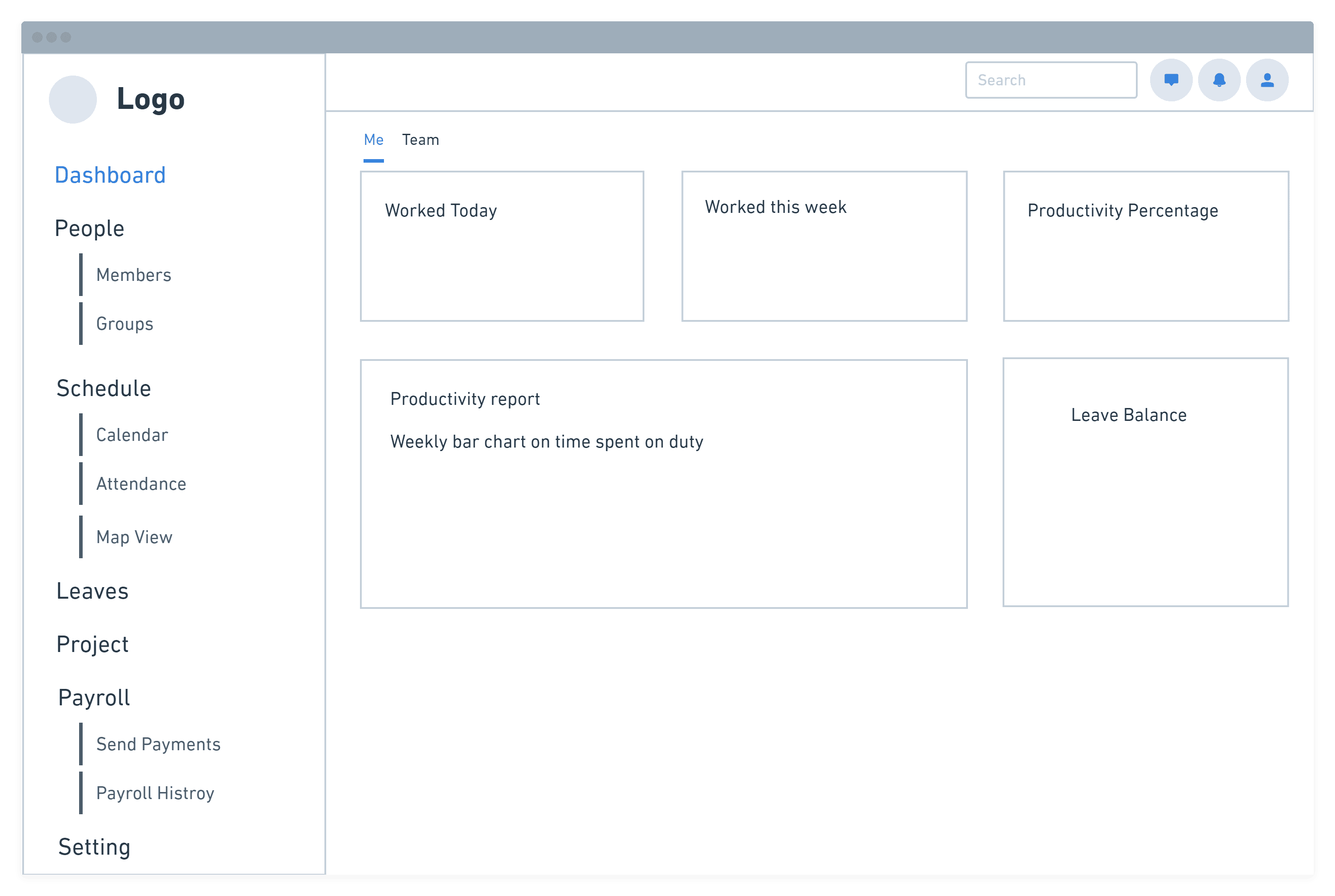
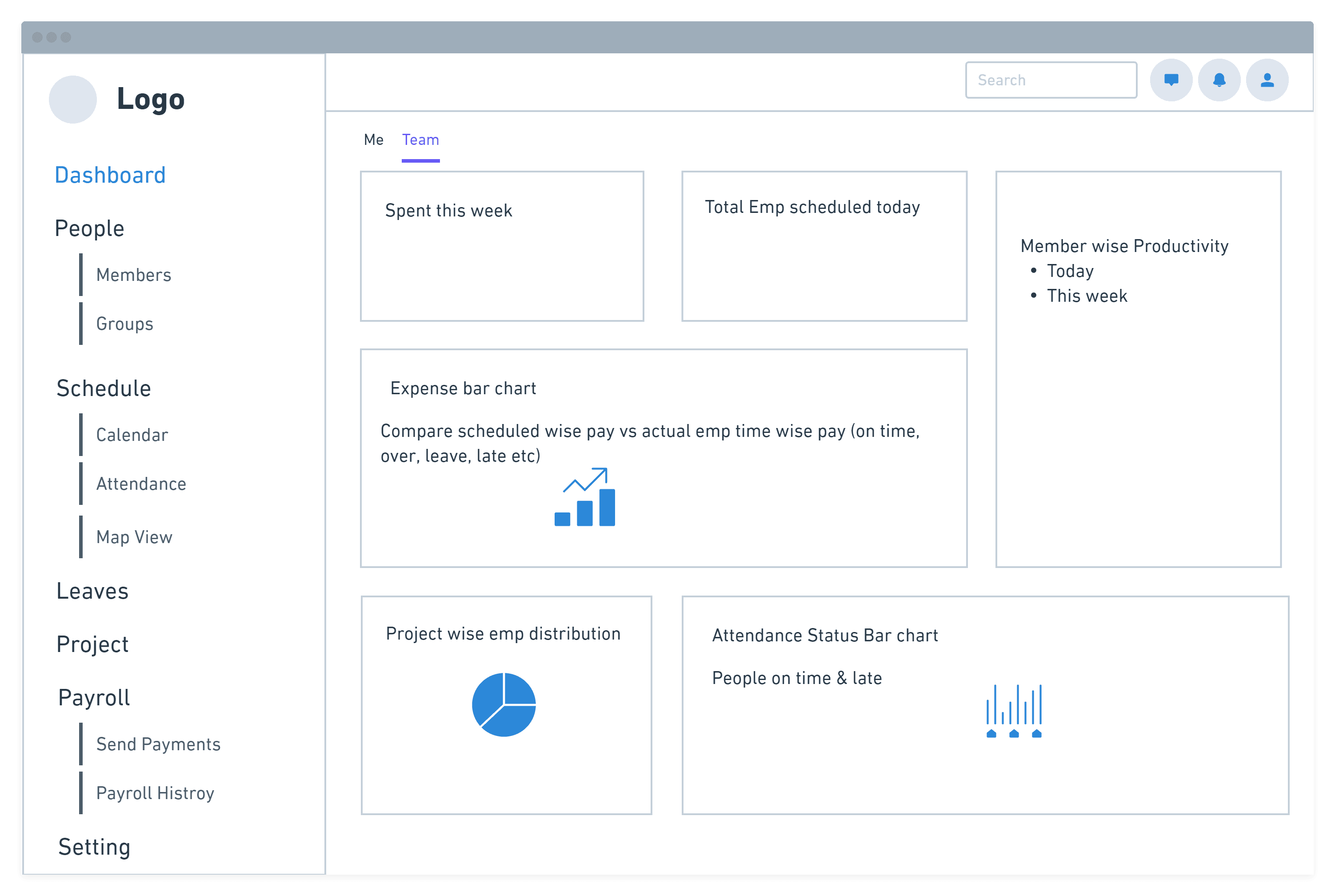
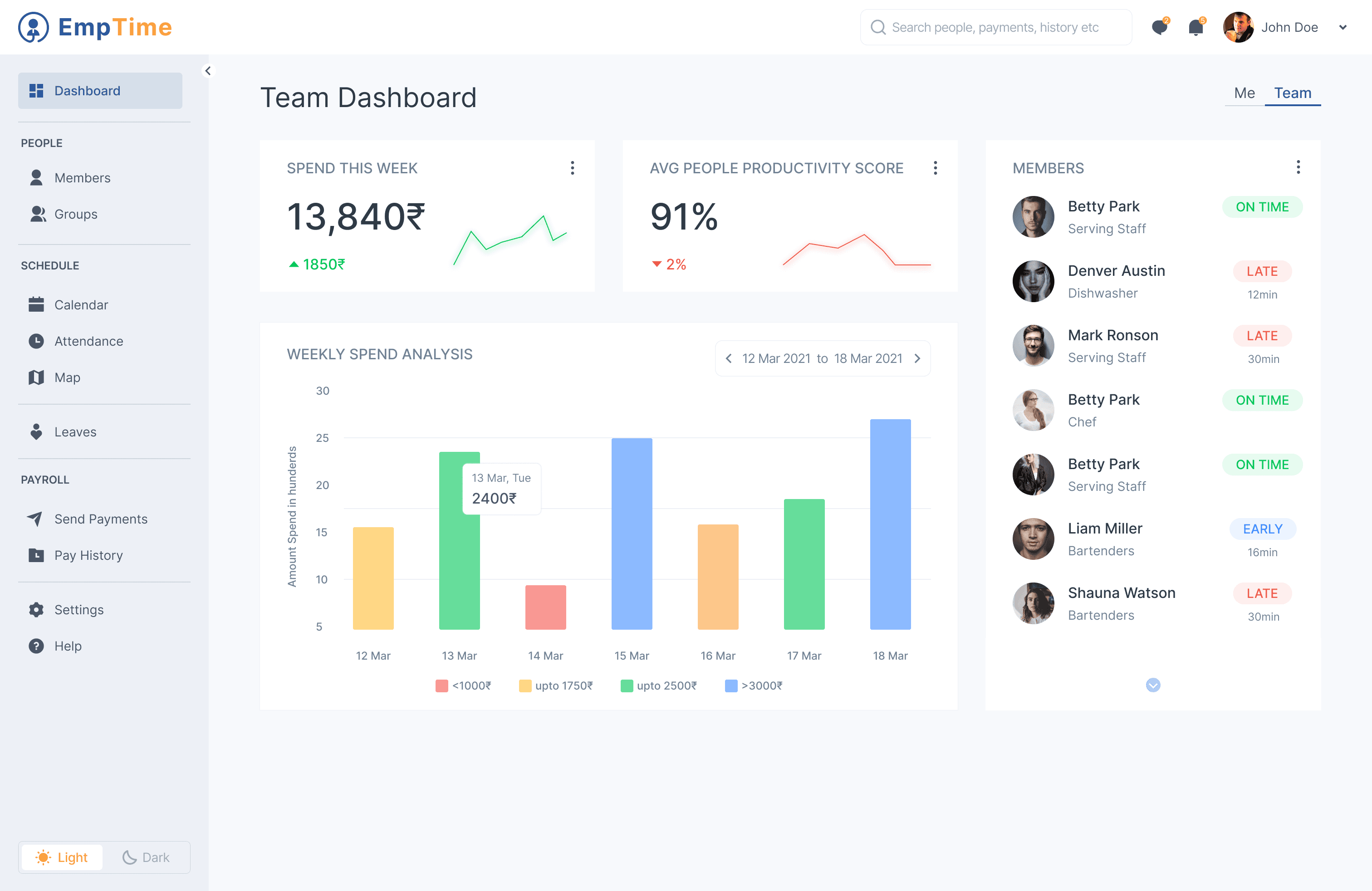
Dashboard for Manager
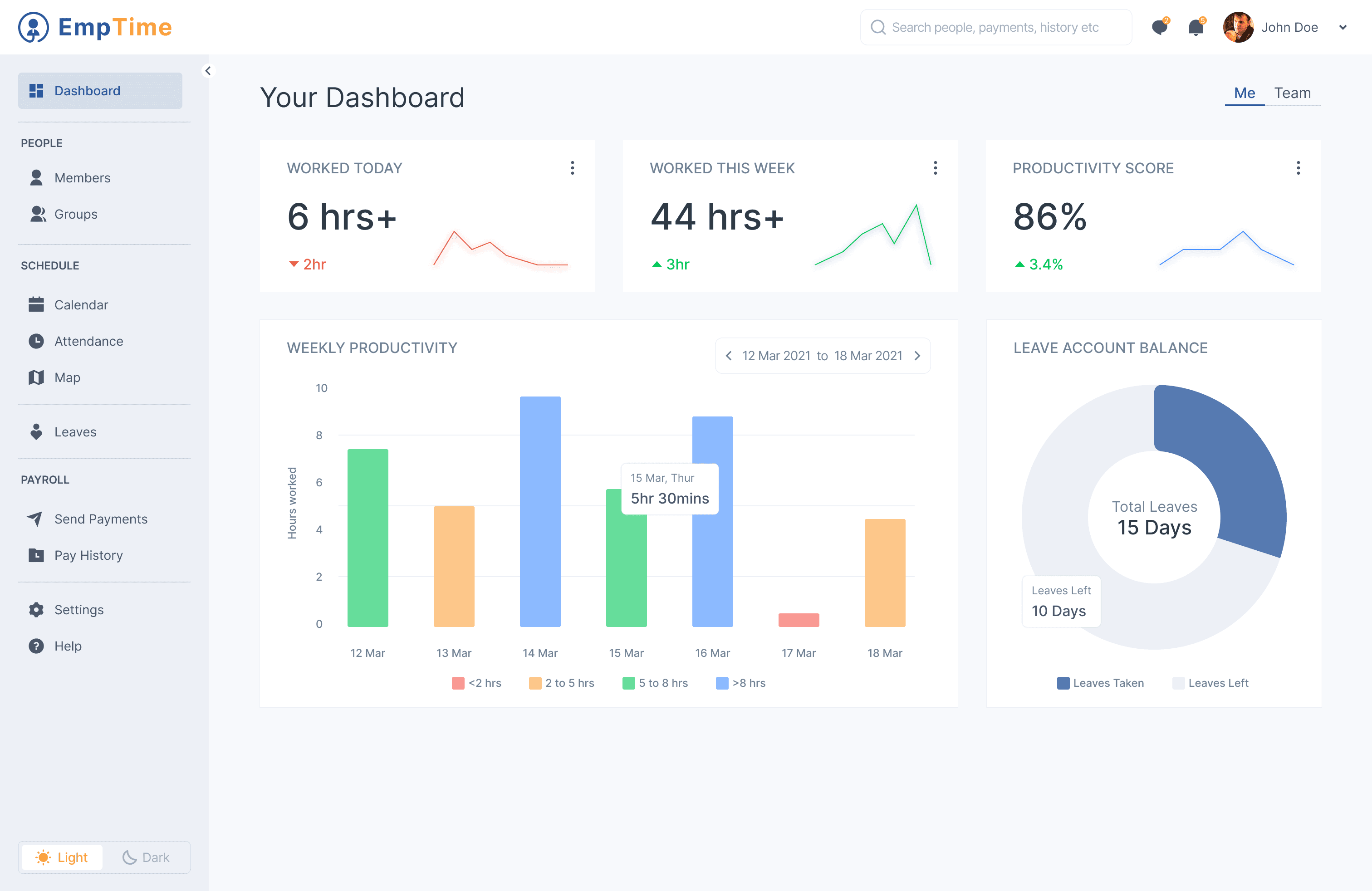
Manager will be able to manage their daily activities & also get an overview of how their team is working - attendance, productivity, finances etc
People Module
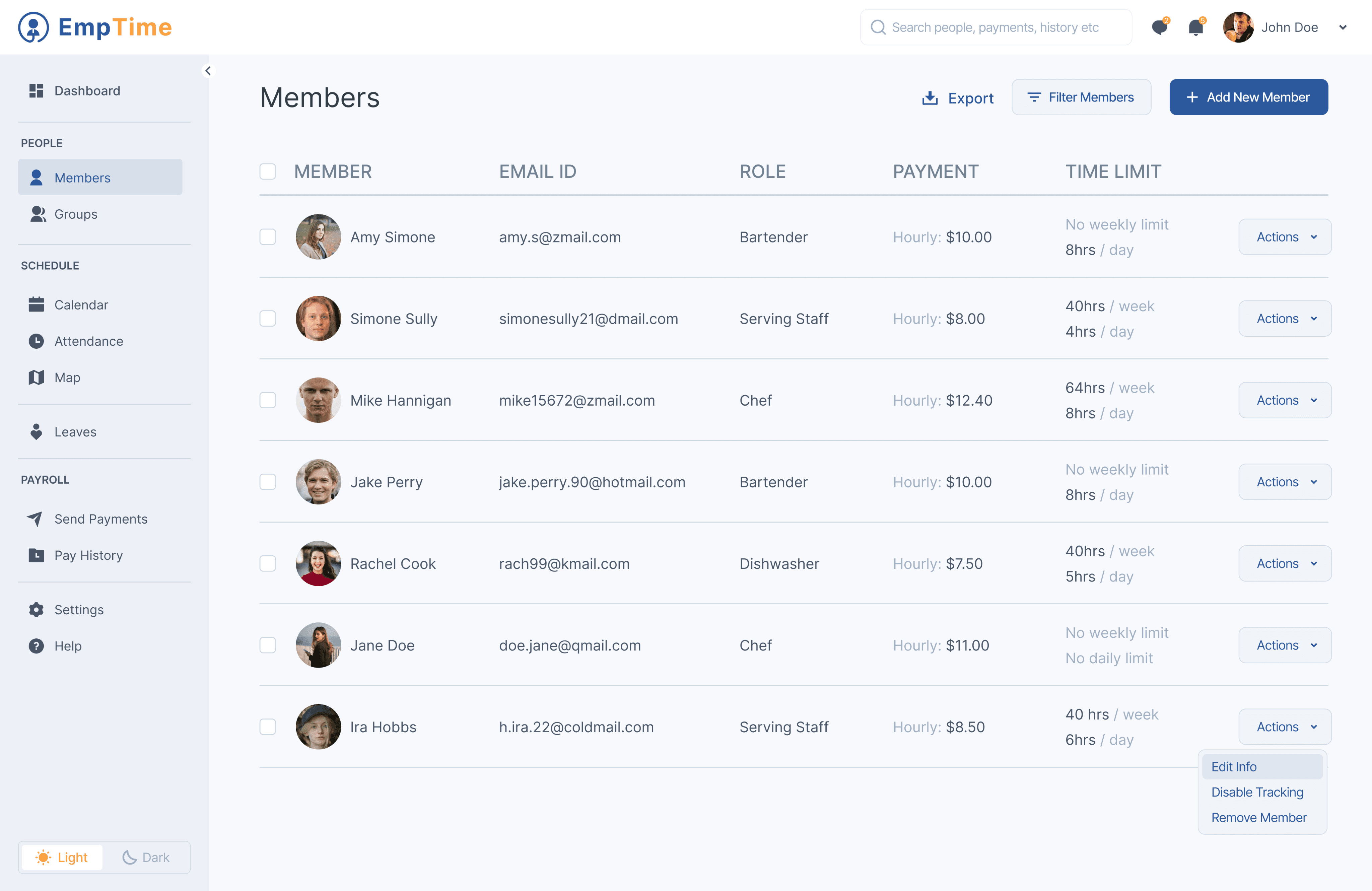
View your team members, groups, roles etc, add new members to your team. Save important information for employee onboarding process like documents & bank details and keep paper work as minimal as possible. Export your member list in excel as well to be used by other platforms as well.
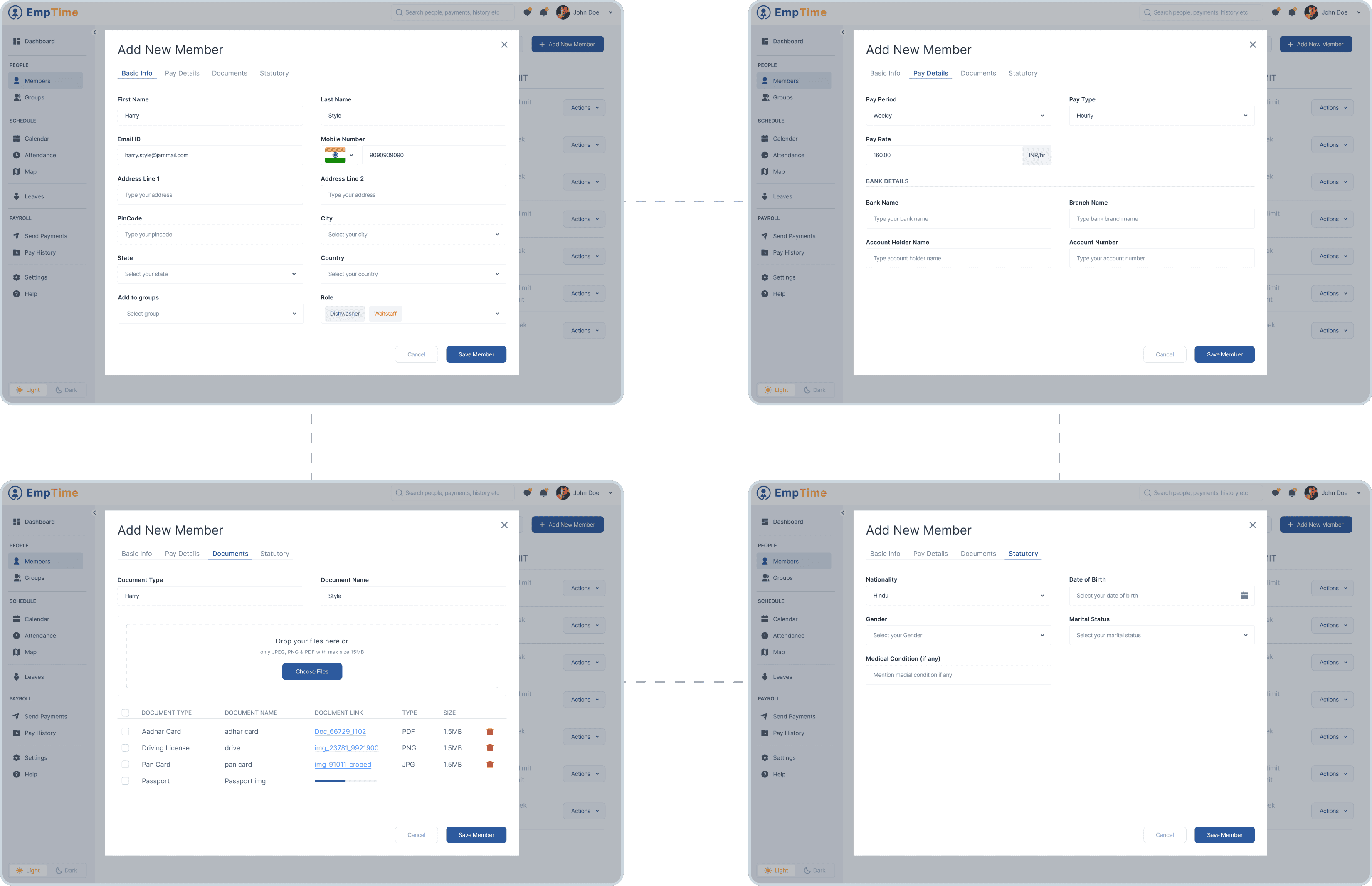
Add New Member - Add basic details, Pay Details, Documents & Statutory
Set employee hours limits to control labor costs and avoid unexpected expenses.
Get notified when user is overtime & adjust budget limits.
Send payments using hours worked and set rates for each person.
Limit hours & budget
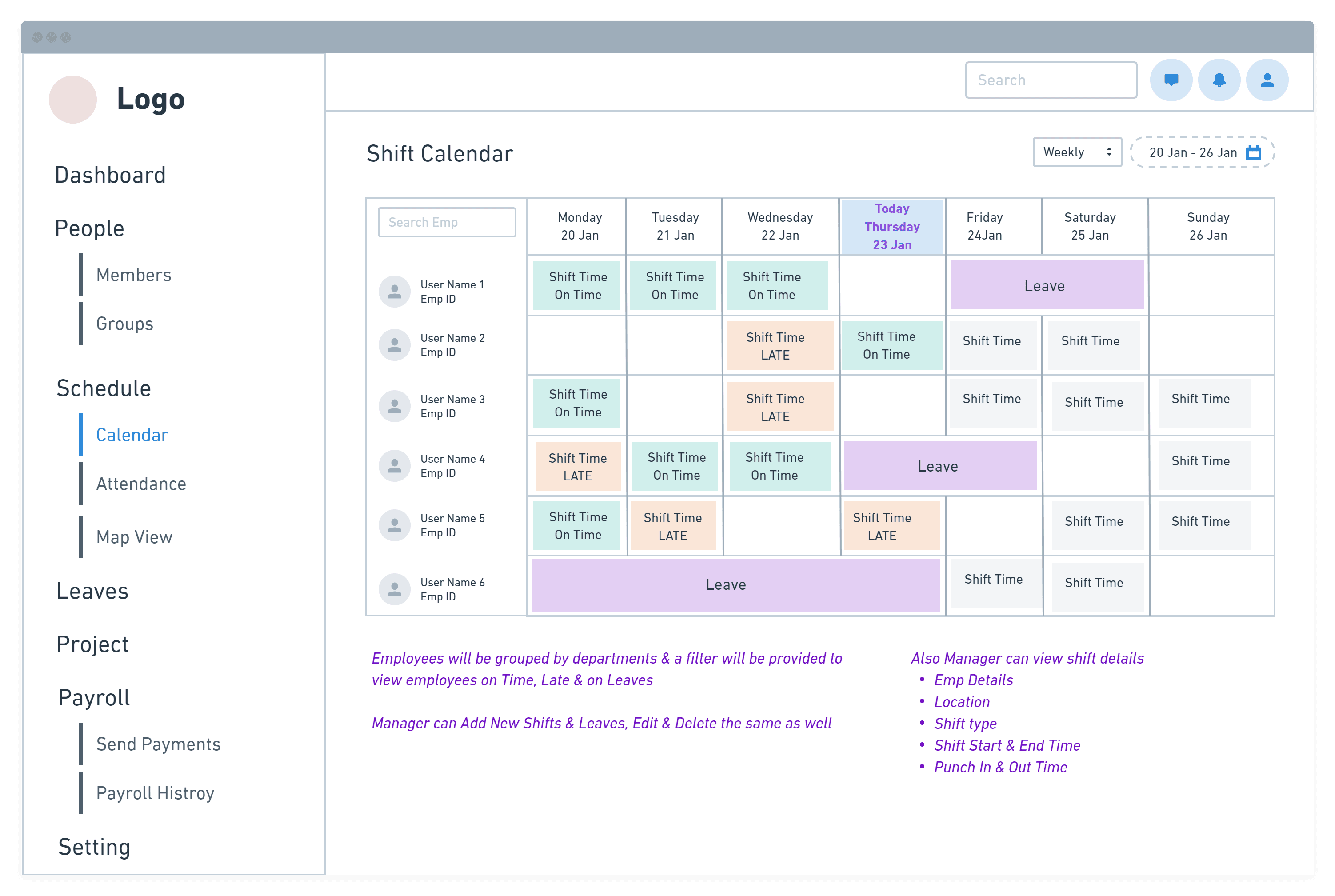
Smart employee scheduling
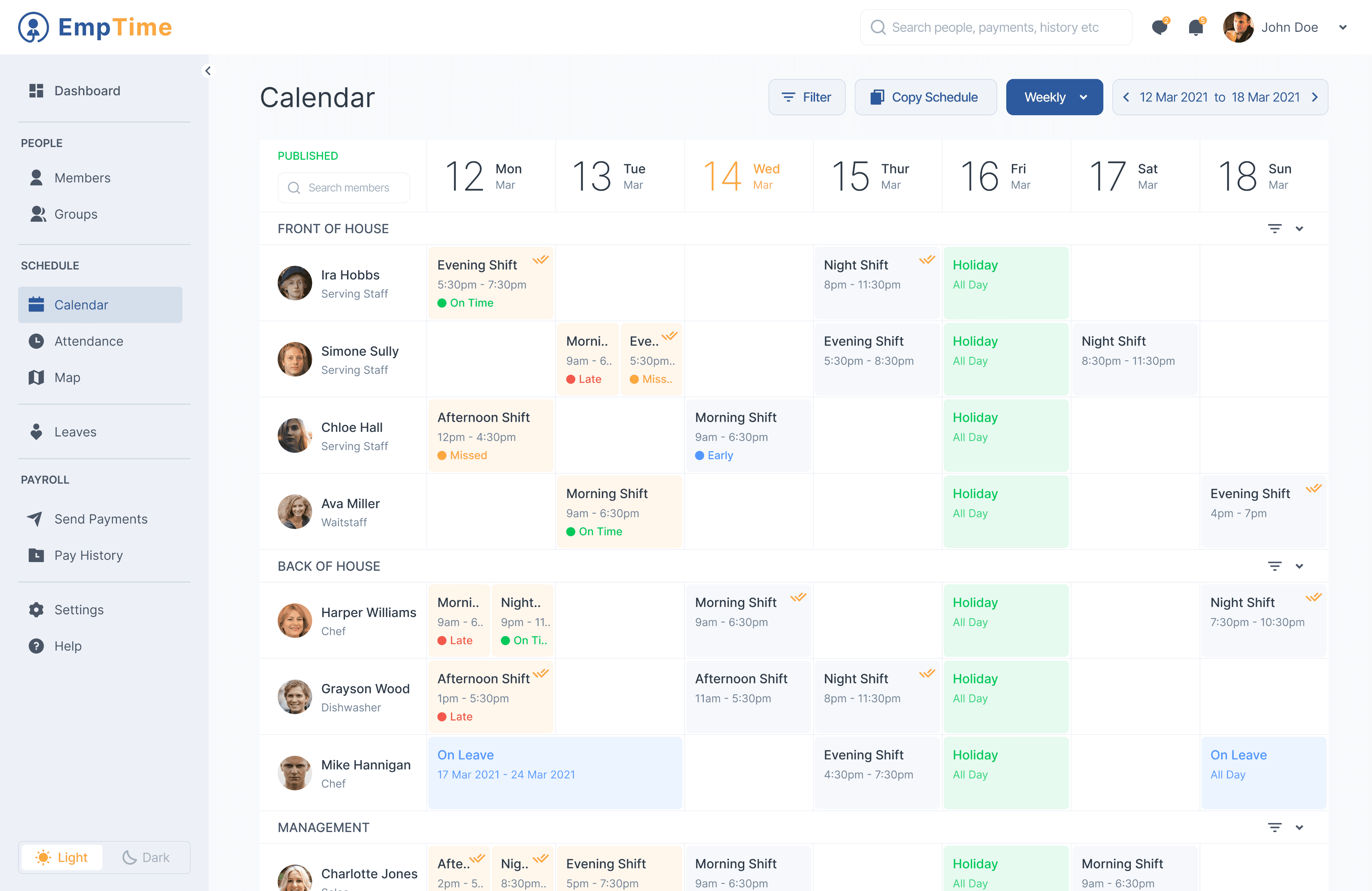
See all upcoming shifts in a calendar view to schedule employees and avoid conflicts.
Easily plan your shifts with employee availability, whether they are full-time or part-time.
Save your schedules as templates for future use
Create geo-fenced job sites to get user location at punch in & out.
Remote or field teams can download the mobile app to record punch in & out time.
Click user image, location at punch in time for accuracy.
Accurate Attendance
Schedule Module
Evening Shift
5:30pm - 7:30pm
On Time
Afternoon Shift
12pm - 4:30pm
Missed
Night Shift
8pm - 11:30pm
Holiday
All Day
On Leave
All Day
Shift Status
Shift Type &
Duration
Approved
Shifts
Holiday
Name
Leave Name
& Duration
On Time
Late
Early
Missed
Improvements
#
I will be adding more user personas like business owners who will use deep analytics for operations & marketing.
Additional layers will be added to information architecture
Enhance flows and screens with more details like settings, Payroll etc
Enhance mobile app functionality by allowing users to add new shifts, & approve and decline leave requests
Develop more dark themed screens for Web & mobile app both.
What’s Next?
Have a question or a project in mind?
I'd love to hear from you. Let's chat and make something amazing together.
Created with ❤️ by @hetalverma